Google Assistant
- 1.65K
- 4.5
- Installs
- 260.00M
- Version
- Varies with device

Screenshots

Pros
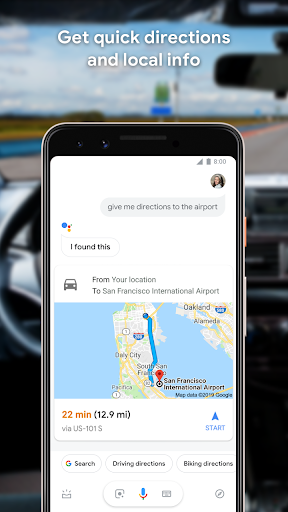
Google Assistant offers reliable hands-free voice control for calls, messages, navigation, and media. It integrates with thousands of smart home devices, enabling seamless routines and automation. With natural language processing, it executes complex commands and controls appliances, lighting, thermostats, and security systems quickly — making everyday tasks more convenient and efficient.
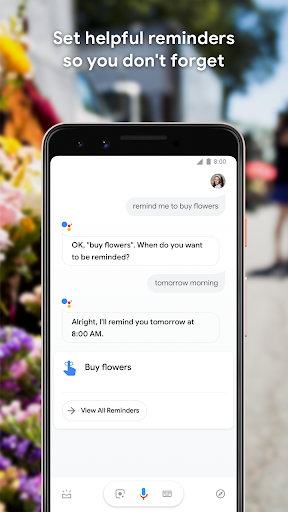
Using Google's search and machine learning, Assistant understands context, follow-up questions, and user preferences. It personalizes responses based on calendar, location, and usage patterns, proactively suggesting reminders, commute times, and relevant information. That context-aware assistance saves time and keeps information timely and tailored to your routines.
Google Assistant works across Android, iOS, smart speakers, TVs, and cars, syncing settings and data through your Google account. It integrates with Gmail, Calendar, Drive, and third-party apps to manage schedules, set reminders, send messages, and pull documents hands-free, improving productivity whether at home, work, or on the go.
Cons
Google Assistant raises privacy concerns because it collects voice recordings, search history, location data, and personalized usage patterns to improve performance. Users may find data-sharing settings confusing, and occasional data retention or third-party access increases risk. Those uncomfortable with pervasive tracking may view this as a major drawback.
Speech recognition and contextual understanding are not always reliable, leading to misinterpreted commands or incorrect answers. Accents, background noise, and complex follow-up questions can confuse the assistant. These limitations interrupt workflows and reduce trust in hands-free or multi-step interactions, especially for users relying on high accuracy.
Feature availability and integrations vary widely by device, region, and partner ecosystem, causing inconsistency. Smart home controls, app actions, and language support may be limited or behave differently across products. Dependence on a stable internet connection also prevents offline use, which can be problematic in low-connectivity situations.
Latest Update: Better Organized Settings Menu
Rather than keeping the settings all dumped into a single list, Google Assistant plans to add three categories to the settings menu:
· Customize your Assistant:General, Access your Assistant, Accessibility, Assistant devices, Languages, Assistant voice & sounds, Your information, At a Glance
· Get things done: Continued Conversation, Home & family, Notes & Lists, Reminders, Routines, Shortcuts
· Manage apps & services: Preferred apps & services and Your apps
This small change will make things look and feel more manageable.


