WhatsApp Messenger
- 1.95K
- 4.4
- Installs
- 350.00M
- Version
- Varies with device

Screenshots






WhatsApp Messenger: The Ultimate Communication App
WhatsApp Messenger has become one of the most widely used messaging apps in the world, with over 2 billion active users. Known for its simplicity, security, and reliability, WhatsApp offers a seamless way to stay connected with friends, family, and colleagues. Whether you're sending text messages, making voice or video calls, or sharing media, WhatsApp ensures a smooth and secure experience.
Key Features of WhatsApp
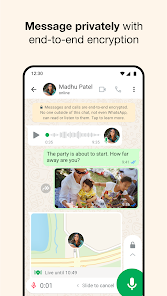
End-to-End Encryption: One of WhatsApp’s biggest selling points is its strong security. All messages, calls, and shared files are protected by end-to-end encryption, meaning only you and the recipient can access them. This makes WhatsApp a trusted choice for private conversations.
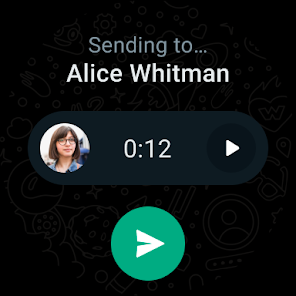
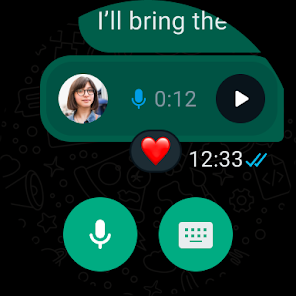
Free Messaging & Calls: Unlike traditional SMS or phone calls, WhatsApp allows users to send unlimited messages and make voice or video calls over Wi-Fi or mobile data, eliminating international charges. This is especially useful for users who frequently communicate with people abroad.
Group Chats & Broadcast Lists: WhatsApp supports group chats with up to 256 participants, making it ideal for family discussions, work collaborations, or social gatherings. Additionally, the broadcast feature lets users send messages to multiple contacts without creating a group.
Media Sharing: Users can easily share photos, videos, documents, and even their live location. The app also supports high-quality image and video sharing, though large files may be compressed.
Status Updates: Similar to Instagram Stories, WhatsApp Status allows users to share temporary updates (text, photos, or videos) that disappear after 24 hours. This feature adds a social media-like touch to the app.
WhatsApp Web & Desktop
For those who prefer typing on a larger screen, WhatsApp offers a web and desktop version. By scanning a QR code, users can sync their mobile app with their computer, allowing them to send and receive messages seamlessly across devices.
WhatsApp Business
WhatsApp also caters to businesses with WhatsApp Business, a separate app designed for small and medium enterprises. Features like automated greetings, quick replies, and product catalogs help businesses engage with customers more efficiently.
Why Choose WhatsApp Over Other Messaging Apps?
Widespread Adoption: Since WhatsApp is used by billions worldwide, chances are most of your contacts already have it installed, making communication effortless.
No Ads: Unlike some messaging platforms, WhatsApp remains ad-free, ensuring a clean and distraction-free experience.
Cross-Platform Compatibility: Whether you're using an Android, iPhone, or even a KaiOS device, WhatsApp works smoothly across all major platforms.
Potential Drawbacks
While WhatsApp excels in many areas, it does have a few limitations. The app requires a phone number for registration, which may not appeal to users who prefer email-based sign-ups. Additionally, backups on Android and iOS are tied to Google Drive and iCloud, respectively, which may raise privacy concerns for some.
Final Verdict
WhatsApp Messenger remains a top choice for secure, feature-rich, and user-friendly communication. Its end-to-end encryption, free international messaging, and seamless cross-device functionality make it a must-have app for personal and professional use. Whether you're keeping in touch with loved ones or managing a business, WhatsApp delivers a reliable and efficient messaging experience.
If you haven't already, download WhatsApp today and join the global community of users who rely on it for fast, secure, and convenient communication.
Latest Update: Critical security patch for WhatsApp on iPhone and Mac
WhatsApp has released an urgent security update for its iOS and macOS apps to address a high‑severity vulnerability that could be exploited by attackers. Users on iPhone, iPad and Mac are strongly advised to install the update from the App Store or Mac App Store (or download only from WhatsApp’s official site for desktop builds) without delay. After updating, restart the app (and the device if possible) to ensure the patch takes effect. To stay protected, enable automatic app updates and avoid installing WhatsApp builds from untrusted sources. If you rely on WhatsApp for business or sensitive communications, consider reviewing device security settings and applying any pending OS updates as well.


