Skullcandy
- 2.38K
- 4.7
- Installs
- 990.00M
- Version
- Varies with device

Screenshots


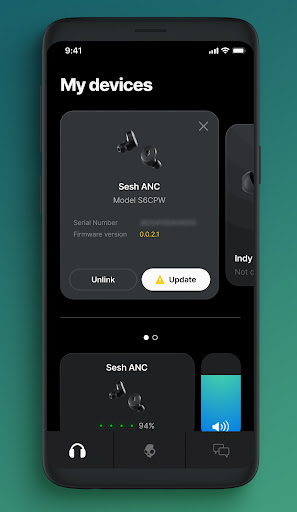


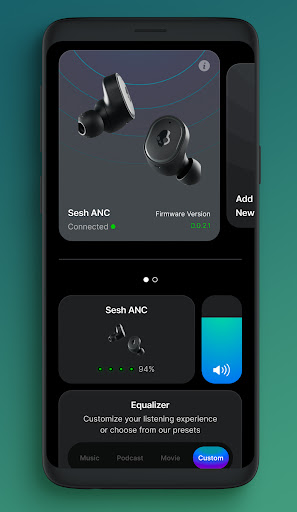


ABOUT THE SKULLCANDY APP
Enhance and customize your listening experience with the Skullcandy App. Control product features and settings, access user guides, and update new features as they become available through Firmware-over-the-air updates.
The following Skullcandy audio products have App enabled features:
- Push Active
- Grind
- Grind Fuel
- Indy Fuel
- Indy Evo
- Indy ANC
- Sesh ANC
- Mod
- PLYR
- Crusher ANC
- Crusher Evo
- Riff Wireless 2
- Push Ultra
If you do not have any of the above products, this app will not work for you.
PRODUCT FEATURE HIGHLIGHTS
Skull-iQ Technology:
Grind, Grind Fuel and Push Active earbuds deliver the most stacked audio technology on the market. With Skull-iQ’s smart technology, Voice Control offers simple hands-free voice commands to activate stay-aware mode, device assistants, Spotify, and media controls, opening you to a revolutionary experience. Customize earbud button settings, share audio with friends, take a photo from your earbuds, and more.
Personal Sound: Tune your Grind Fuel, Crusher ANC, Crusher Evo, Indy ANC, or Dime XT 2 for your unique hearing. Take a simple hearing assessment to generate your personalized sound profile. Hear your music like never before.
Equalizers & Hearing Modes: Can be turned on/off or selected to meet your changing noise environment and listening preferences.
Firmware-over-the-air (FOTA) updates: As they become available, we will release new and improved firmware to the buds you own, including updated features and deeper product customizations, to keep you with the latest greatest audio experience. Enable push notifications in the Skullcandy App to receive alerts for upgrades that are available to you.
User Guides & Support
Detailed user manuals and quick guides remind you how to get the most of your product.
Explore the Skullcandy brand and get customer service help.


